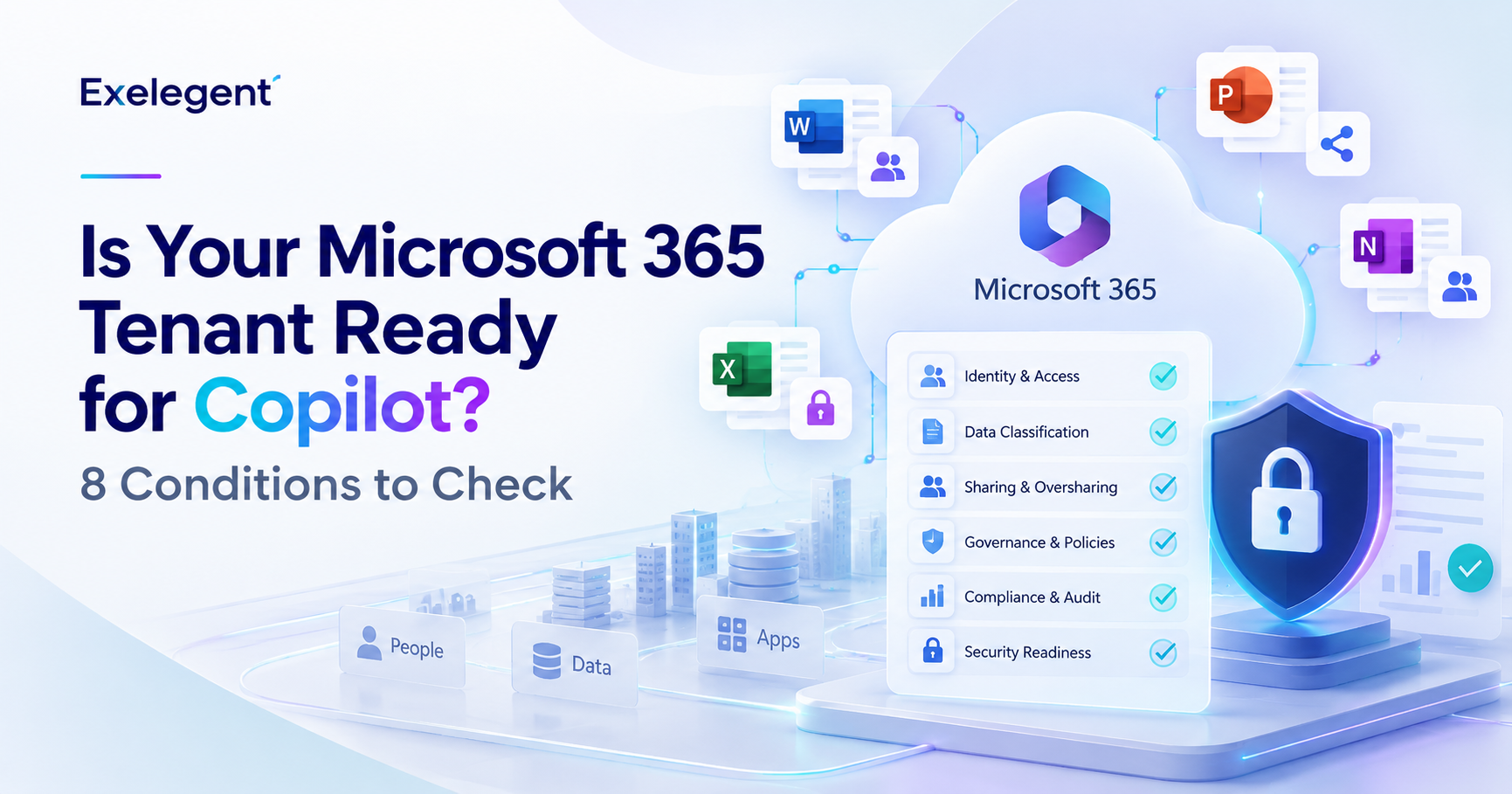
Microsoft does not have a portal problem. It has a visibility problem.
A modern organization may depend simultaneously on Microsoft 365, Azure, Teams, Intune, Entra, Defender, Purview, Power Platform, and Copilot. Each workload introduces its own administrative interface, policies, reports, dashboards, security controls, licensing considerations, and governance responsibilities.
For the teams operating these environments, the portals are familiar. The Microsoft 365 team knows where to assign licenses. The identity team knows where to review access. Security analysts know where incidents appear. Cloud teams know where Azure consumption lives. The executive challenge begins when these separate views need to become one coherent answer.
- Are we paying for capabilities employees do not use?
- Can we prove that corporate devices meet security requirements?
- Where does our most significant identity exposure exist?
- Is sensitive business data governed well enough to support Microsoft Copilot?
- Are rising Azure costs connected to growth, inefficient architecture, or missing financial accountability?
- Are we prepared to make an evidence based Microsoft renewal decision?
A useful community reference, the MSPortals.io Microsoft portal directory, helps administrators find the relevant destination and illustrates the breadth of the Microsoft ecosystem. Finding the address, however, is only the first step.
MSPortals helps you find where to go. Exelegent helps you understand what to look for when you get there.
This guide focuses on the Microsoft admin portals that matter most to IT leaders, the signals teams should monitor inside them, and how those signals can inform decisions involving cost, security, governance, compliance, adoption, AI readiness, and Microsoft renewal planning.
What Are Microsoft Admin Portals?
Microsoft admin portals are web based management experiences used to configure, monitor, secure, govern, and analyze different parts of the Microsoft ecosystem. Microsoft provides separate or connected administration experiences for Microsoft 365, identity, endpoint management, security, data governance, collaboration, cloud infrastructure, artificial intelligence, and business applications.
There is no single portal that provides every answer an IT leader needs. The Microsoft 365 Admin Center supports common administrative tasks. More specialized decisions require Microsoft Entra, Microsoft Intune, Microsoft Defender, Microsoft Purview, the Azure portal, the Teams admin center, and the Power Platform admin center. The portals may be separate, but the business decisions are connected.
Why Microsoft Portals Have Become an Executive Issue
Imagine a CIO entering a Microsoft renewal discussion. Procurement brings the current agreement and proposed pricing. The Microsoft 365 team brings assigned license data. Security brings a project list. The cloud team brings the latest Azure invoice. Business leaders bring requests for Copilot. Everyone has information, but nobody has a complete view of whether the organization is receiving sufficient value from its Microsoft investment.
That is not a technology shortage. It is a decision evidence shortage. The executive issue is not whether each team can operate its portal. It is whether leadership can connect portal information to questions about cost, risk, investment, and future requirements.
Microsoft Portal Map: Which Portal Handles What
| Business area | Portal | What it manages | What leaders should watch |
|---|---|---|---|
| Microsoft 365 | Microsoft 365 Admin Center | Licenses, users, billing, service health, reports and Copilot administration | License mix, utilization, adoption and service health |
| Identity | Microsoft Entra admin center | Users, applications, authentication, Conditional Access and identity governance | Privileged access, risky identities, guests and access reviews |
| Devices | Microsoft Intune admin center | Device, application, configuration and compliance management | Enrollment, noncompliance, unmanaged access and policy coverage |
| Security | Microsoft Defender portal | Incidents, alerts, exposure, investigation and response | High impact incidents, exposed assets and remediation ownership |
| Data and compliance | Microsoft Purview portal | Information protection, DLP, governance, risk and compliance | Sensitive data, classification, retention and data risk |
| Collaboration | Teams admin center | Teams, meetings, messaging, applications and policies | Ownerless teams, guests, lifecycle and policy consistency |
| Cloud | Azure portal and Cost Management | Cloud resources, subscriptions, governance, monitoring and costs | Anomalies, allocation, budgets, utilization and accountability |
| AI | Copilot administration ecosystem | Copilot access, settings, usage, identity, data and security controls | Adoption, use cases, permissions, governance and value |
| Business apps | Power Platform admin center | Power Apps, Automate, Pages, Copilot Studio and environments | Ownership, connectors, capacity, licensing and governance |
The Microsoft Portals Every IT Leader Should Understand
Microsoft 365 Admin Center: The commercial and operational starting point
The Microsoft 365 Admin Center is the primary administration experience for common Microsoft 365 tasks, including users, licenses, billing, service health, reports, settings, and some Copilot administration. For executives, its value lies less in daily administration and more in the commercial and operational questions its data can help answer.
IT leaders should compare assigned and available licenses, inactive users, service usage, allocation by role, subscription mix, service health, Copilot licensing, and capabilities that are licensed but not operationalized. An assigned license does not prove that a capability is deployed, adopted, measured, or delivering value.
Microsoft Entra Admin Center: Where digital trust is governed
Microsoft Entra is the centralized portal for users, groups, applications, roles, authentication, Conditional Access, identity risk, and access governance. Its importance becomes clear when an employee leaves but access remains active through an account, privileged role, application, or external collaboration path.
Leadership should expect evidence around privileged access, risky users, authentication methods, Conditional Access, guest identities, enterprise applications, access reviews, entitlement management, and identity lifecycle processes. Identity decisions affect Microsoft 365, Azure, Power Platform, and Copilot.
Microsoft Intune Admin Center: Where endpoint policy becomes evidence
Microsoft Intune is the integrated endpoint management platform for devices, applications, configuration, and compliance. A hybrid work strategy is not secure merely because employees can work from anywhere. The organization must be able to demonstrate that devices accessing corporate information meet defined requirements.
Relevant signals include enrollment coverage, compliance status, configuration baselines, controls for unmanaged devices, application protection, endpoint security, and the process for handling exceptions. Intune and Defender signals can also inform access decisions when the supporting controls are configured.
Microsoft Defender Portal: Turning security signals into priorities
The Microsoft Defender portal is a unified security operations experience for supported security services. Security teams rarely face a shortage of alerts. Their challenge is deciding which exposures, incidents, identities, devices, applications, or attack paths deserve priority.
Leaders should focus on high impact incidents, recurring patterns, exposed assets, unresolved recommendations, remediation ownership, and the time between detection and response. A dashboard is not proof of security. It is an input into risk prioritization.
Microsoft Purview Portal: The data foundation for compliance and AI
Microsoft Purview brings together data security, governance, risk, and compliance experiences. Its strategic importance increases with AI because organizations need to understand where sensitive data exists, who can access it, how it is classified, and whether protections remain effective when generative AI uses existing permissions.
IT leaders should examine information protection, sensitivity labels, DLP, retention, eDiscovery, audit, insider risk, data discovery, ownership, oversharing, and AI related data exposure. Purchasing Copilot licenses can happen quickly. Establishing permission hygiene and data governance cannot.
Microsoft Teams Admin Center: Collaboration needs governance too
The Teams admin center supports teams, meetings, messaging, calling, applications, and collaboration policies. Teams can become critical infrastructure without leadership making a formal decision for that to happen, as projects, customer conversations, meetings, and files accumulate.
Relevant areas include ownerless or inactive teams, public versus private use, guest participation, application permissions, meetings and messaging policies, sensitivity, lifecycle controls, expiration, archival, and service performance. Governance should make collaboration sustainable rather than simply restrictive.
Azure Portal and Microsoft Cost Management: From consumption to accountability
The Azure portal manages cloud services and resources, while Microsoft Cost Management helps analyze, monitor, allocate, and optimize Microsoft Cloud costs. Unexpected spend is not automatically waste. It may reflect growth, architecture, resource lifecycle issues, or missing ownership.
Leaders should review cost anomalies, spend by workload and owner, budget variance, unallocated resources, reservations, idle assets, forecasts, and the relationship between consumption and business outcomes. FinOps turns cost visibility into shared accountability.
Power Platform Admin Center: Governing innovation at scale
The Power Platform admin center manages environments and settings for Power Apps, Power Automate, Power Pages, Copilot Studio, and supported Dynamics applications. Low code creation can solve operational problems, but it can also create ownership, lifecycle, security, and capacity risks.
Watch environment growth, ownership, inactive apps and flows, connectors, security recommendations, application health, deployments, capacity, license consumption, Copilot Studio adoption, and business critical solutions without continuity plans.
Microsoft Copilot Administration: AI readiness is a multi portal decision
Copilot administration is not limited to one standalone portal. Some scenarios are managed in the Microsoft 365 Admin Center, while identity, permissions, data governance, security, compliance, and workload controls depend on connected administration experiences.
Before scaling AI, require evidence for business use cases, user selection, identity, permissions, data governance, security, adoption, value, ownership, and change management. AI readiness is not procurement readiness.
What Should IT Leaders Actually Look At?
Cost and Licensing
Use Microsoft 365, Azure, Cost Management, Power Platform, and workload reports to identify signals that deserve investigation, not automatic downgrades. Valid decisions require role, workflow, security, compliance, device, dependency, and future demand context. Our guide to downgrade risk covers what breaks when the segmentation is wrong.
- Assigned, available, and inactive licenses
- Capabilities purchased but not deployed
- Deployed services with limited adoption
- Azure cost anomalies and unallocated spend
- Power Platform environment and capacity consumption
Security
Translate technical signals into business exposure. A risky identity may affect financial, customer, healthcare, intellectual property, or operational information. A noncompliant device may create a path around expected controls.
- Privileged access and risky sign ins
- Authentication and Conditional Access coverage
- Unmanaged or noncompliant devices
- High impact incidents and recurring patterns
- Sensitive data events without clear ownership
Data and Compliance
The important question is not whether a DLP policy exists. It is whether the policy protects the information and processes that matter, whether users understand it, and whether incidents lead to an owned response.
- Sensitive data locations
- Sensitivity label and DLP coverage
- Retention and lifecycle requirements
- Audit and investigation readiness
- Oversharing and AI related data exposure
Adoption and Value
Usage alone is not value. A workflow must connect technology to time, cost, risk, quality, employee experience, revenue, or another agreed outcome. Our Copilot ROI guide covers how that connection is modeled.
- Active versus assigned users
- Adoption by role or department
- Repeat and capability specific usage
- Approved Copilot use cases
- Outcome metrics linked to investment
AI Readiness
AI readiness requires evidence across the Microsoft environment rather than a single dashboard.
- Identity and permissions
- Data ownership and classification
- DLP, security, and compliance controls
- Approved use cases and user readiness
- Adoption, sponsorship, and value baselines
From Portal Data to Business Decisions
Portal signal, then business interpretation, then executive decision. Each step requires context the dashboard does not carry.
| Portal signal | Business interpretation | Potential decision |
|---|---|---|
| Limited license usage | Possible mismatch in license, role, deployment, or adoption | Segment users and validate dependencies before renewal |
| Risky identities or weak access governance | Exposure may affect multiple workloads | Prioritize identity remediation and access reviews |
| Noncompliant devices | Corporate information may be accessed outside controls | Improve enrollment, policy, or access enforcement |
| Sensitive data without governance | Compliance and AI initiatives may expand risk | Improve classification, DLP, access, and lifecycle governance |
| Azure growth without allocation | Cost cannot be explained or assigned | Conduct a FinOps review and implement accountability |
| Copilot adoption without baselines | Usage may not translate into value | Refine cohorts and establish outcome measurement |
The value is not in the portal itself. The value is in the decision enabled by the data.
The Microsoft Portals to Review Before Renewal
A Microsoft renewal should not begin with the previous order form. It should begin with evidence. Organizations should review license utilization, user activity, security posture, compliance, device management, adoption, Azure consumption, AI readiness, unused capabilities, and future requirements.
- What are we using?
- What are we not using?
- What risks remain?
- What capabilities will we need next?
- Where should we optimize, preserve, activate, or expand?
For plan comparison, use the Microsoft 365 license cost guide alongside operational and business evidence. For capability level interpretation, review the Microsoft 365 Value Realization Matrix. For cloud financial accountability, see FinOps for Microsoft Cloud. For AI economics and adoption, see the Microsoft Copilot ROI guide.
Microsoft Portal Maturity: From Administration to Optimization
Level 1: Reactive
“We know where the portals are.”
Teams access portals mainly when a user, service, invoice, incident, or operational problem requires action. Evidence is fragmented and knowledge may depend on a few administrators.
Level 2: Operational
“We actively manage our Microsoft environment.”
Major workloads have administrators and recurring operational activities, but domains may still operate independently and reporting may emphasize activity over impact.
Level 3: Governed
“We use portal data to manage security, compliance, and risk.”
Controls have owners and review processes. Exceptions are documented, remediation is assigned, and leadership can see where gaps affect the organization.
Level 4: Optimized
“We connect usage, licensing, security, cost, and value.”
Entitlements are compared with deployment, adoption, risk, dependencies, and measurable outcomes. Renewals and cloud costs become evidence based decisions.
Level 5: AI Ready
“Our Microsoft environment is a governed foundation for AI.”
Identity, permissions, information architecture, data protection, compliance, and lifecycle management support approved AI use cases and continuous governance.
Microsoft Portal Maturity Assessment
Score each question from 0 to 3. Zero is no visibility, one is limited or informal visibility, two is managed with evidence, and three is optimized and connected to business decisions. Nothing is sent anywhere and nothing is stored.
| Assessment question | Score |
|---|---|
| Do we regularly review Microsoft license assignments and utilization? | |
| Can we identify inactive licenses without ignoring business dependencies? | |
| Do we have visibility into identity risk, privileged access, and guest access? | |
| Can we demonstrate device management and compliance coverage? | |
| Do Defender findings produce prioritized remediation with named owners? | |
| Do we govern sensitive data through classification, access, DLP, and lifecycle policies? | |
| Do we measure Microsoft 365 adoption by user group and intended outcome? | |
| Can we connect Azure consumption to ownership and financial accountability? | |
| Do we review usage, risk, security, and future needs before renewal? | |
| Do we have a documented Copilot and AI governance approach? |
Portal access happens when something breaks. Start by establishing a single owner for each major workload and a recurring review rhythm.
This is an original directional self assessment, not an official Microsoft maturity model or certification.
Microsoft Portals by Business Objective
| If your goal is to | Start with |
|---|---|
| Reduce licensing waste | Microsoft 365 Admin Center |
| Improve identity security | Microsoft Entra |
| Improve endpoint compliance | Microsoft Intune |
| Protect sensitive data | Microsoft Purview |
| Improve threat visibility | Microsoft Defender |
| Control cloud costs | Azure portal and Microsoft Cost Management |
| Improve collaboration governance | Teams admin center |
| Prepare for Copilot | Microsoft 365 Admin Center, Entra, Purview, and Defender |
| Govern low code and agents | Power Platform admin center |
| Prepare for renewal | Multiple portals plus business and licensing evidence |
Frequently Asked Questions About Microsoft Admin Portals
What are Microsoft admin portals?
They are web based experiences used to manage Microsoft 365, identity, devices, security, compliance, cloud infrastructure, collaboration, AI, and business applications. There is no single portal that answers every question an IT leader has, which is why the executive challenge is connecting evidence across them rather than mastering any one of them.
Which Microsoft portal manages licenses?
The Microsoft 365 Admin Center is the primary portal for Microsoft 365 subscriptions, billing, assigned licenses, and available licenses. Workload specific licensing and consumption information may also appear elsewhere, including the Azure portal for cloud consumption and the Power Platform admin center for capacity.
What is the Microsoft Entra admin center?
It is the centralized portal for identity and access management, including users, applications, authentication, Conditional Access, identity risk, and access governance. Identity decisions made here affect Microsoft 365, Azure, Power Platform, and Copilot, which is why it is often the highest leverage portal for security posture.
What is Microsoft Intune used for?
Intune manages endpoints, applications, configurations, endpoint security, and device compliance requirements. For leadership, its value is evidentiary: it is where an organization can demonstrate that the devices accessing corporate information meet defined security and compliance requirements.
What is Microsoft Purview used for?
Purview supports data security, governance, information protection, DLP, risk, compliance, and AI related data controls. Its strategic importance increases with AI adoption, because generative AI surfaces content using existing permissions, making data classification and permission hygiene prerequisites rather than follow up work.
What is the Microsoft Defender portal?
It is a unified security operations experience for supported security posture, detection, investigation, and response capabilities. The executive value is not the dashboard itself but the prioritization it enables: which exposures, incidents, identities, devices, or attack paths deserve attention first.
Which portals should be reviewed before renewal?
Review Microsoft 365 for licensing and usage, Entra for identity, Intune for devices, Defender for security, Purview for data and compliance, Teams for collaboration governance, and Cost Management for cloud consumption. A renewal decision built on one portal is a decision built on partial evidence.
Is there a separate Copilot admin portal?
Some Copilot scenarios are managed through the Microsoft 365 Admin Center. Broader governance depends on connected identity, permissions, data, security, and compliance controls across Entra, Purview, and Defender. AI readiness is therefore a multi portal question rather than a single console.
How can portal data reduce costs?
It can reveal inactive accounts, underdeployed capabilities, anomalous consumption, overlapping investments, misaligned assignments, or resources without ownership. Every signal requires validation before action, because an unused license may reflect a role change, a security dependency, or a seasonal pattern rather than waste.
How should organizations prepare for Microsoft renewal?
Combine licensing, usage, adoption, security, compliance, device, cloud cost, AI readiness, and future demand evidence before deciding what to preserve, change, activate, reduce, or expand. The objective is to enter the negotiation with a documented position rather than a reaction to the proposed price.
The Goal Is Not Portal Expertise
The goal is not to become an expert in every Microsoft portal. The goal is to know which signals matter, understand what those signals mean, and turn them into better technology and business decisions.
Microsoft provides the platforms and data. The Microsoft 365 Admin Center can reveal licensing and usage. Entra can reveal identity and access concerns. Intune can provide endpoint evidence. Defender can expose security priorities. Purview can reveal data and AI governance risk. Azure and Cost Management can connect consumption with financial accountability.
But a portal does not make the decision. An assigned license does not explain whether it should be retained. A security recommendation does not determine business priority. An Azure cost increase does not prove waste. A Copilot adoption figure does not prove value. Interpretation requires context.
Microsoft provides the portals. Exelegent helps organizations turn what those portals reveal into better decisions.